Reading progress
0%
Attendee field guide

One camp.
A new way to move work.

What I learned at the Teamwork Collection Learning Camp in Pune: how a team can turn a rough idea into organised work, working code, and a live result - with people still making the important decisions.

19 August 2026Pune, IndiaJira · Confluence · Loom · Rovo
What this guide isHands-onnot a product brochure
Main Jira labBrainstorm to work items to live preview
My workshop buildTeamwork Eats is live on GitHub Pages
Core lessonGood context makes agents more useful

The day as it unfolded

A full day of joining the dots.

The agenda moved from the foundations of AI teamwork into a hands-on Jira lab, then to better knowledge sharing with Confluence and Loom, and ended with the real questions: governance, security, adoption, and scale.

The Pune camp was hosted by the Atlassian Community Champions, with an emphasis on learning by doing. We were not asked to just watch a demo. We created a Jira space, assigned work to an agent, saw work items appear, asked the agent to change code, and watched the result in a browser.

The most useful idea I took away was simple: context matters. A useful agent needs the right information, the right access, and clear rules. The Teamwork Collection brings that context closer to where teams already plan, discuss, record, build, and review their work.

Jira is not only where work is tracked. In the workshop, it became the place where people and agents could move work forward together.

My practical reading of the day’s Jira session
J

Jira

The work hub: spaces, work items, agent sessions, automation, and review.

→
C

Confluence

The shared context: brainstorms, decisions, knowledge, and whiteboards.

→
L

Loom

The visual explanation: a quick recording can become a clearer bug report or update.

→
R

Rovo

The assistant layer: search, answers, agents, and connections across permitted work.

→
01

Morning · Champions kickoff

Pune’s community set the tone: come ready to build

The Pune Community Champions opened the camp and set the expectation: laptop out, participate, keep asking questions. They shared the community’s momentum - a Pune chapter of 2,450+ members, 500+ new joiners in the week - then set the technical stage with Teamwork Collection, the Teamwork Graph, and why AI needs context rather than isolated prompts.
Community ChampionsTeamwork CollectionContext
02

Late morning · Agents in Jira

A messy food-app brainstorm became structured work

Swapnil Jalamkar led the main lab. We logged into our own sandbox, created a space from the Agentic Engineering template, and asked a Jira Coding Agent to read a Confluence brainstorm and a repository, select workable ideas, and create well-structured Jira work items with acceptance criteria and dependencies.

Jira Coding AgentResearch skillWork items
03

Before lunch · Live implementation

Triaged work, agent coding, and a browser preview

The lab moved from planning to execution. We added a Triage Agent to a board stage, assigned a visual change to the Coding Agent, inspected the result in a live preview, and asked the session for one more UI change - all without leaving Jira.

Triage AgentLive previewDraft PR
04

Midday · Lunch & momentum

A proper break before the second half

A one-hour lunch let people compare their sandbox results, trade what worked, swap corrections, and get ready for the Confluence and Loom work. The energy carried straight into the afternoon.

NetworkingComparing workRecharge
05

Afternoon · Confluence and Loom

Explain work clearly, then make it reusable

Honey Nitharwal showed how a Loom recording can capture a bug with the screen activity in one place, then become a Jira work item. The flow used Confluence, whiteboards, voting, and Rovo to hunt for existing ideas and shape a launch campaign - all without leaving the connected tools.

Video bug reportWhiteboardsCreate with Rovo
06

Afternoon · Dedicated Q&A

From “can it?” to “how do we run it well?”

A dedicated Q&A with the Atlassian team turned to adoption: connectors and what gets indexed, permissions, source-of-truth habits, credits and cost today, usage visibility, and how to start a gradual rollout. Attendees were told to park questions and bring back the classic ones their leaders will ask.

ConnectorsCreditsGovernance
07

Close · Champion Pack 2.0 & group photo

Leave with tools, a feedback loop, and a photo

The day wrapped with the Champion Pack 2.0 - the Jira workshop guide, the “Agents in Jira” deck, and admin resources - plus a feedback form, community thanks, and the Pune tradition of a full-group photo. The message: take one small thing back to work on Monday.

Champion Pack 2.0FeedbackGroup photo

The transcript records the sequence of sessions, but not a reliable wall-clock schedule. For that reason, this timeline uses the flow of the day rather than invented exact times.

The workshop’s working model

The Teamwork Eats chain, in one picture.

This was the clearest part of the camp for me: the flow was not “ask AI for code”. It started with team context and ended with people reviewing a visible output.

01

Capture the ideas

A Confluence brainstorm holds raw product ideas. It can be messy; the quality work starts with making that thinking visible.

02

Give the agent context

A Jira work item points the agent to the brainstorm and codebase, then asks for clear, useful outputs.

03

Create the backlog

The agent creates structured work items with a short summary, acceptance criteria, definition of done, and dependencies.

04

Improve before build

A Triage Agent checks priority, labels, work type, and gaps before implementation starts.

05

Build and inspect

The Coding Agent works against the chosen repository. A live preview shows the change before a human review.

06

Make repeatable checks automatic

Automation can react when a matching work item appears. In the lab, a security-focused rule was used to prioritise, label, and route vulnerability work.

07

Keep people at the important gates

The agent can create tickets, prepare code, and open a draft PR. A person reviews scope, quality, risk, and the final approval.

Why this matters: each step leaves useful traceability behind - the PR connects to a work item, which connects to the original product context. That makes later review and learning much easier.

Replay the Jira lab

A practical path you can try with your own team.

This is my plain-English version of the 2026 workshop. Use a small, low-risk product improvement first. Product options, access, and availability can differ by organisation, so involve your Jira and security administrators before you enable anything broadly.

01

Prepare a safe space for the experiment

Create a dedicated Jira space or project for the pilot. The camp used an Agentic Engineering template and a sandbox setup. Pick a small demo repository or a non-critical internal improvement so the team can learn without production pressure.

  • Make sure the right people can access the project, source material, and repository.
  • Agree who can approve work items and who can merge code.
  • Write down a clear success measure: for example, “make this bug report easier to reproduce”.
Human decision first
02

Place the real context where the team can see it

Put the problem statement, screenshots, customer signals, loose ideas, and known constraints in Confluence. Link the relevant codebase in the Jira work item. This lets the agent work from the same starting point as the team instead of guessing from a one-line request.

  • Keep facts, assumptions, and open questions separate.
  • Call out ideas that need discovery instead of forcing them into build-ready tickets.
  • Use clear labels for sensitive or restricted material.
03

Ask for small, structured work items - not magic

Create one parent work item that tells the agent which Confluence page and repository to consider. Ask it to create a limited number of actionable work items with acceptance criteria, definition of done, and any dependency links. Review the result before planning it into a sprint.

  • Use short, action-oriented summaries.
  • Ask the agent to flag uncertainty or missing discovery.
  • Ask it to link the repository to child work items if that helps your later workflow.
Useful agent task
04

Triage before sending work to code

In the workshop, a Triage Agent was added to a board stage. When work entered that stage, it could suggest the work type, labels, and priority. This is not a replacement for product judgement; it is a way to make basic quality checks more consistent.

  • Check that acceptance criteria are testable.
  • Confirm the priority and the real user value.
  • Split large work items before implementation.
05

Delegate one visible change and inspect it live

Choose a narrow, easy-to-see change. Assign the Jira Coding Agent and explicitly select the repository if needed. When it has a result, use live preview to click through the change, then give a small follow-up request in the same session if the UI needs adjustment.

  • Read the plan and changed files before accepting the outcome.
  • Use the preview to check behaviour, not only appearance.
  • Treat the draft pull request as the start of human review, not the end.
Human review gate
06

Automate one narrow and clear rule

Once the team understands the manual loop, automate a repeatable one. The camp example responded to work items marked as vulnerabilities. A rule should have a precise trigger, a limited action, and a clear “do not” list.

  • Start with classification, labels, priority, or a structured comment.
  • Do not let a new automation silently close security work or bypass approvals.
  • Set the repository deliberately; do not rely on a vague default.
Admin-managed setup
07

Run an audit, then use the command view

In the lab, the agent was asked to run a security audit and create separate vulnerability work items. The automation then picked up matching work. The “For you” agent sessions view served as the command centre for seeing active work, completed sessions, and requests for human input.

  • Review each finding; an automated finding is not automatically a confirmed risk.
  • Do not post confidential exploit details in a broadly visible comment.
  • Make unresolved or blocked work easy to find.
08

Turn a proven workflow into a template

Only after a pilot is working should you consider sharing it wider. The session showed the idea of custom templates: a way to give other teams a starting setup with the same useful workflow patterns.

  • Document the use case, permissions, and approval points.
  • Keep the template narrow enough that teams can understand it.
  • Measure adoption and quality, then improve it with feedback.
Scale after evidence

The afternoon hands-on lab

Confluence, Loom, and Rovo turned context into momentum.

The second half was not a separate product tour. It showed how the same piece of work can stay connected: research in Confluence, a draft created with Rovo, an update explained in Loom, and the next action returned to Jira.

C

Confluence: create the shared picture

The workshop used a marketing space as the team’s memory. It held earlier campaign material, whiteboards for new ideas, a live campaign brief, and the meeting notes that followed.

  • Turn a whiteboard sticky note into a Jira work item.
  • Connect related work directly on the whiteboard.
  • Keep smart links between pages, recordings, and Jira work.
R

Rovo: find, shape, and draft

Rovo was used to search permitted knowledge, show the sources behind an answer, and create a starting draft. The useful point was not a perfect first answer; it was getting a well-informed starting point quickly.

  • Ask about the best assets from earlier launches.
  • Create a campaign brief as a live document.
  • Use the existing page and whiteboard as context.
L

Loom: show the work, not only describe it

Loom made a bug report and a project update easier to consume. A short screen recording or narrated update kept the visual proof, the explanation, transcript, and summary together.

  • Record a bug and create a linked Jira work item.
  • Share a 60-second campaign update asynchronously.
  • Capture meeting actions without manual notes.

Scenario 1 · From a bug to a useful Jira item

A video bug report gives the team the “what”, “where”, and “how” together.

In the workshop, a volunteer recorded a checkout problem in the Forklift food-delivery example ↗. Instead of recreating the issue later from a few written lines, the recording captured the actual screen flow.

  1. Record the screen while reproducing the issue; add voice narration when it helps explain the problem.
  2. Let Loom generate a title, transcript, and summary from the recording.
  3. Use the bug-report action to create a Jira work item with the Loom link attached.
  4. Open the Jira item to see the details and recording together, then use the link in Confluence search when the team needs that context again.

Practical lesson: a good video report can reduce follow-up questions because the evidence and the explanation travel with the work item.

Scenario 2 · From old learning to a new plan

Use what the organisation already knows before starting from a blank page.

For the Pune launch exercise, the group first asked Rovo which marketing assets had performed well in earlier launches. The answer pointed back to its sources, so participants could check the supporting material.

  1. Ask Rovo a focused question in Rovo Home or from Confluence.
  2. Review the cited sources and filter the result when a particular source is more relevant.
  3. Use a Confluence whiteboard to add rough ideas, vote, and turn stronger ideas into linked Jira work.
  4. Use “Create with Rovo” to draft a campaign brief, then review it with the team before adding it to Confluence.

Practical lesson: Rovo can accelerate the starting point, but the team still checks the evidence, adds local judgement, and owns the final plan.

Scenario 3 · Replace a status meeting with a better hand-off

Record the update once, then let people consume it when they are ready.

After creating the marketing plan, the group used Rovo to shape the points for a 60-second narration. A Loom recording then gave stakeholders a quick walkthrough, with an AI-generated summary and transcript available beside it.

  1. Use the approved plan as the source and ask Rovo for a short narration outline.
  2. Record a concise Loom update that points people to the key decisions and next steps.
  3. Share the recording in the Confluence page so the page and update stay connected.
  4. Use time saved from explanation-only meetings for a shorter discussion that actually needs people together.

Practical lesson: async video is not “fewer conversations”; it makes the live conversations more valuable.

Scenario 4 · Let meeting outcomes continue as work

Meeting recording, summary, Confluence page, Jira action.

The final Loom example showed a meeting recorded from a supported meeting platform. After the meeting, the recording, summary, named action items, and a Confluence page could be created without someone manually writing a long set of notes.

  1. Review the automatic meeting summary and action items; correct anything that is not right.
  2. Use the Confluence page as the shared record, with the Loom embedded as supporting context.
  3. Create a Jira work item from an action item when it needs formal ownership and tracking.
  4. Consider a carefully scoped automation only after the team trusts the review process.

Practical lesson: the best automation removes copy-and-paste work, not accountability for the decision.

Prompts worth adapting

Be specific about the job, the output, and the boundary.

These are simplified, reusable versions of the workshop prompts. Replace the placeholders, keep the scope small, and review the agent output before it changes anything important.

Create structured work from a brainstorm

Using the research skill, read this brainstorm page in full:
[CONFLUENCE PAGE LINK]

Also review this repository:
[REPOSITORY LINK]

Select up to [NUMBER] ideas that are feasible and useful now.
For each idea, state what it is, why it matters, acceptance criteria, dependencies, and whether more discovery is needed.

Create Jira work items in [PROJECT LINK] with:
- an action-oriented summary (10 words or fewer)
- a clear description
- an acceptance-criteria checklist
- a definition of done
- dependency links where relevant

Do not create work items for ideas that need discovery. Flag those separately.

Why it works: it gives the agent source material, a limit, a format, and permission to say “not ready”.

Ask for a security audit carefully

Use the security audit skill to review this repository:
[REPOSITORY LINK]

Create a separate Jira work item in [PROJECT LINK] for every confirmed finding.
Start each summary with [VULN]. Include the affected area, severity rationale, safe remediation guidance, and testable acceptance criteria.

Classify each finding as SEV-CRITICAL, SEV-HIGH, SEV-MEDIUM, SEV-LOW, or SEV-INFO.

Never close or resolve the work item. Do not put credentials, active exploit details, or sensitive data in public comments. Flag any finding that needs restricted visibility or human review.

Why it works: it defines the required format and makes the safety and approval boundaries explicit.

The part to take seriously

Useful agents need sensible guardrails.

The Q&A did not avoid the hard questions. It covered permissions, connectors, data quality, visibility, and how to start without trying to automate the whole organisation on day one.

01

Start with access

Use source permissions and approved connections. Make sure the agent can see only what the user or workflow should be able to use.

02

Name the source of truth

If the same information sits in several places, agree which page or system is current. Better answers start with better maintained knowledge.

03

Keep review points

Let agents draft, classify, and prepare. Keep people responsible for priorities, sensitive risks, code review, and merge approval.

04

Grow in stages

Start with one work item, then a board stage, then a reusable template. Watch usage and quality before increasing automation.

Adopt it, thoughtfully

A short cheat-sheet for rolling out Rovo.

The afternoon and Q&A answered the quiet questions teams ask before enabling AI for real. Here is a condensed, evergreen version to hand to an admin or a curious colleague. Check current release notes before you plan anything.

01

Connectors & controls

Four connector types feed Rovo: synced (indexed at scale), synced-live (on the fly, no admin setup), direct (login + on-demand API), and smart links. Admins can allow- or block-list sources, and answers respect each user’s existing permissions.

02

Credits & cost today

Rovo credits are counted at the organisation level, not per person. As of the camp they were not being charged, with a roughly 90-day notice window signalled before any change. A larger user base grows the credit pool.

03

Freshness & memory

Rovo reads last-updated dates and cross-checks a fact across sources rather than favouring one app. Its inbuilt memory carries context across chats, so a follow-up days later still makes sense.

04

Simple start points

Begin with a plain chat search, then “Create with Rovo” for a new doc, and try the mobile app or Rovo CLI where it is enabled. Stay narrow, learn the patterns, then build the custom agents your team really needs.

Pricing, availability, and data controls evolve. Use this as a starting point for discussion, then confirm the specifics with your Jira and security administrators.

Bring it back to your team

Do one useful thing next week.

The camp did not make a case for automating everything. It made a better case for choosing one small workflow where the team loses time, has enough context, and can review the result safely.

  • Identify one repeated pain point: ticket writing, bug reporting, triage, or a status update.
  • Gather a good example of the context your team already uses.
  • Run one small pilot with a named human reviewer.
  • Share what was useful, what was wrong, and what should not be automated.
01

Context is a team asset

Confluence pages, Jira work, repository links, recordings, and decisions become more valuable when they are maintained and connected.

02

Use agents where the work already happens

The workshop value was not a new chatbot tab. Agents appeared in the Jira flow, close to the work and its decision points.

03

Visible output improves the conversation

Live preview made UI feedback faster and clearer. People could respond to the thing that changed, not only a code diff.

04

Human approval is a feature

For security, product trade-offs, and production changes, a human review point is not friction. It is how the system stays trustworthy.

A proper thank you

This kind of day does not happen by accident.

This was a one-of-a-kind hands-on workshop. Behind the room was a lot of preparation: the sandbox environment, the connected Jira, Confluence, Loom, and Rovo exercises, the step-by-step material, the on-the-floor help, and the patience to make sure people could actually finish the work. I noticed that effort, and I am genuinely grateful for it.

To the workshop speakers and guides

Thank you for making the sessions clear, practical, and lively - from the Jira agent flow through the Confluence, Loom, and Rovo exercises, to the thoughtful answers during Q&A.

Swapnil JalamkarHoney NitharwalMd Zeeshan AliSushmitha Vijayaraghavan

To the Pune Atlassian Community Champions

Thank you for the welcome, coordination, technical support, energy, and the spirit of learning together. The community made a full-day workshop feel personal and encouraging.

Anil KumarDatta BorudeJayesh BaviskarPiyush AnnadateAwneet SrivastavaSachin DhamaleSachin Pawar
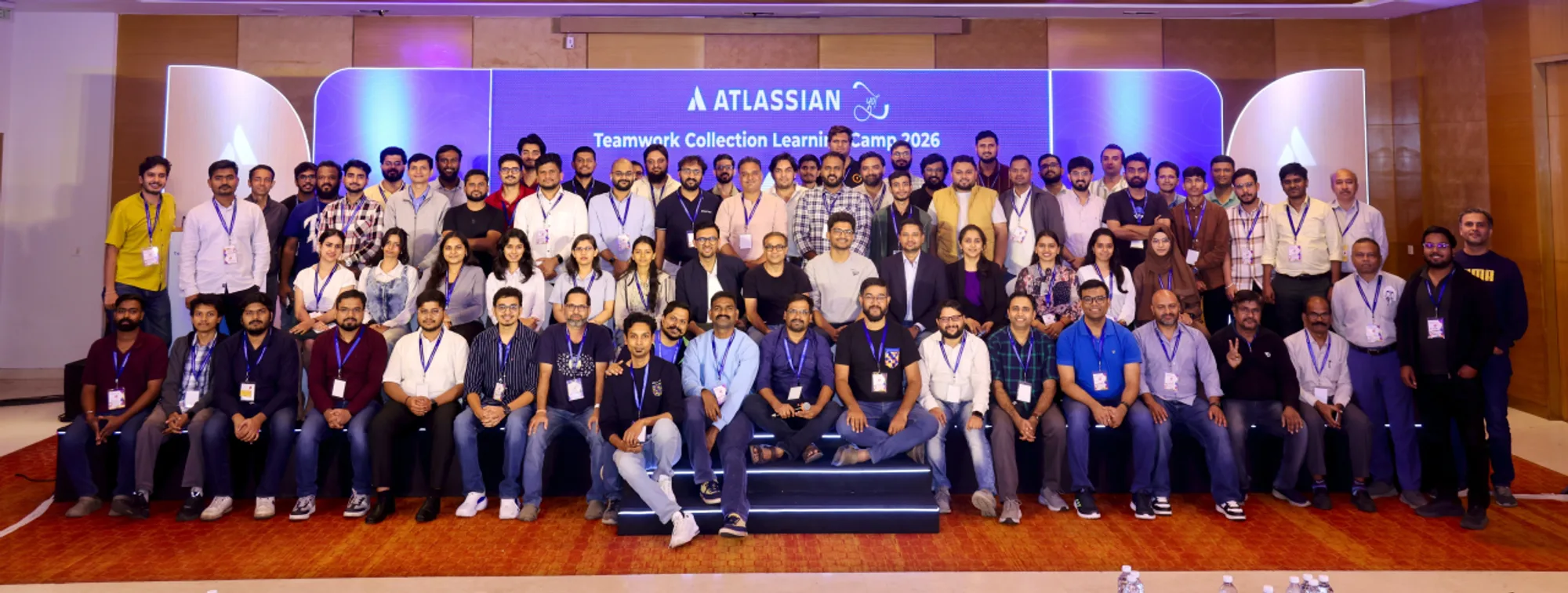
The full room of attendees and Champions at the Teamwork Collection Learning Camp in Pune
The full room — attendees and Champions after a packed day of workshops.
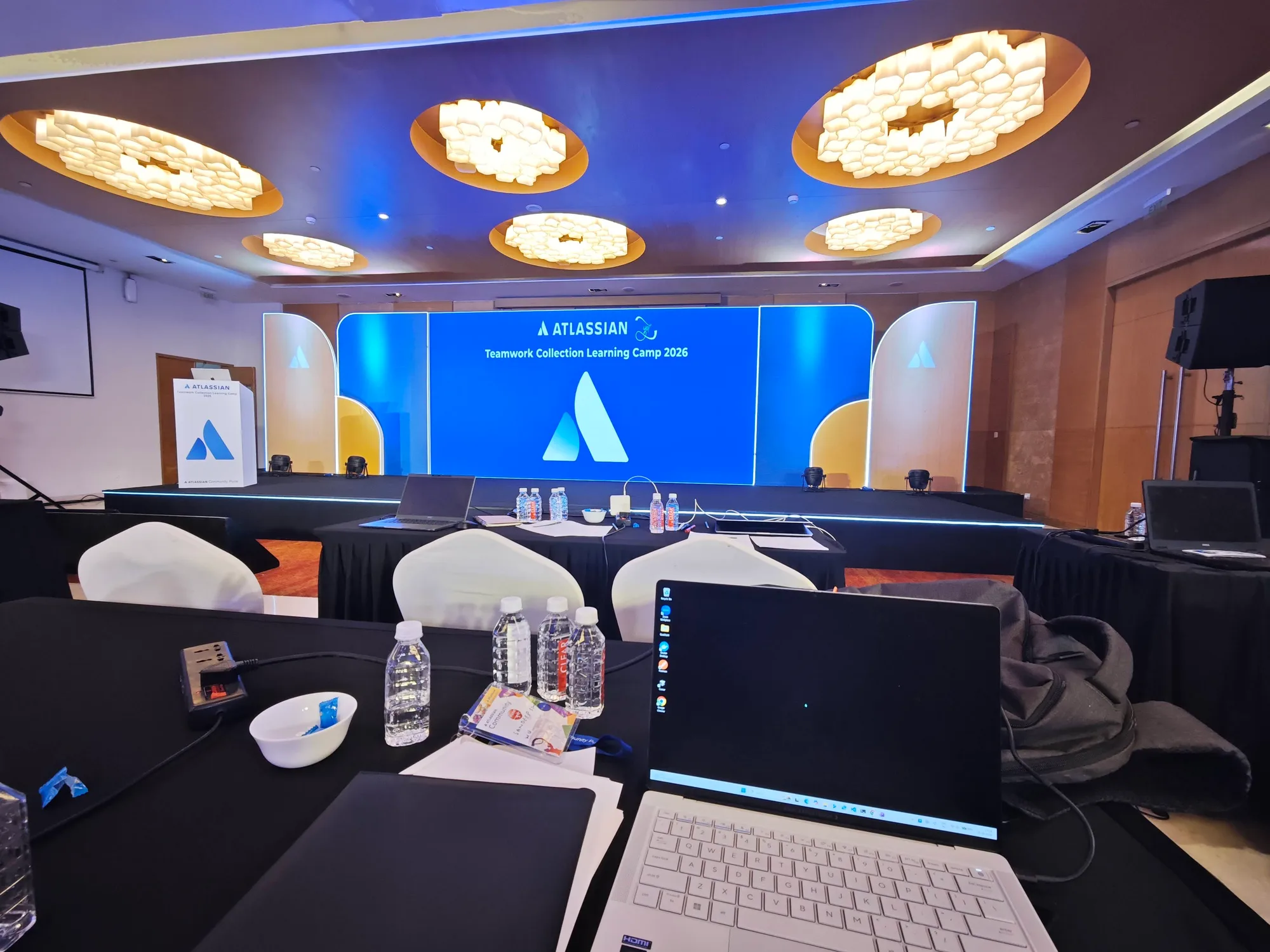
The Teamwork Collection Learning Camp on stage in Pune
On stage at the Teamwork Collection Learning Camp, Pune.
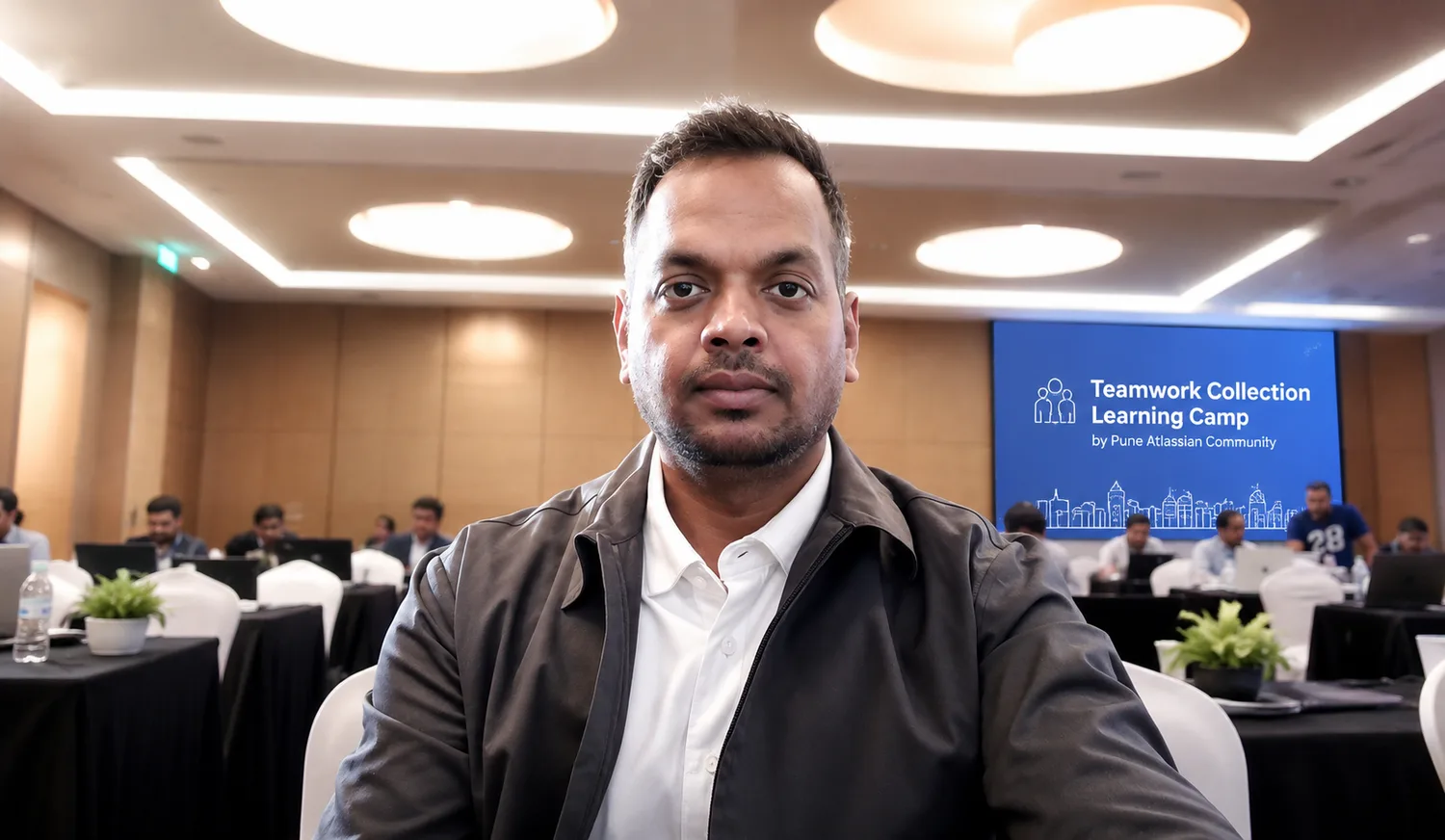
Me at the Teamwork Collection Learning Camp in Pune
Me at the camp — a day of hands-on learning in Pune.